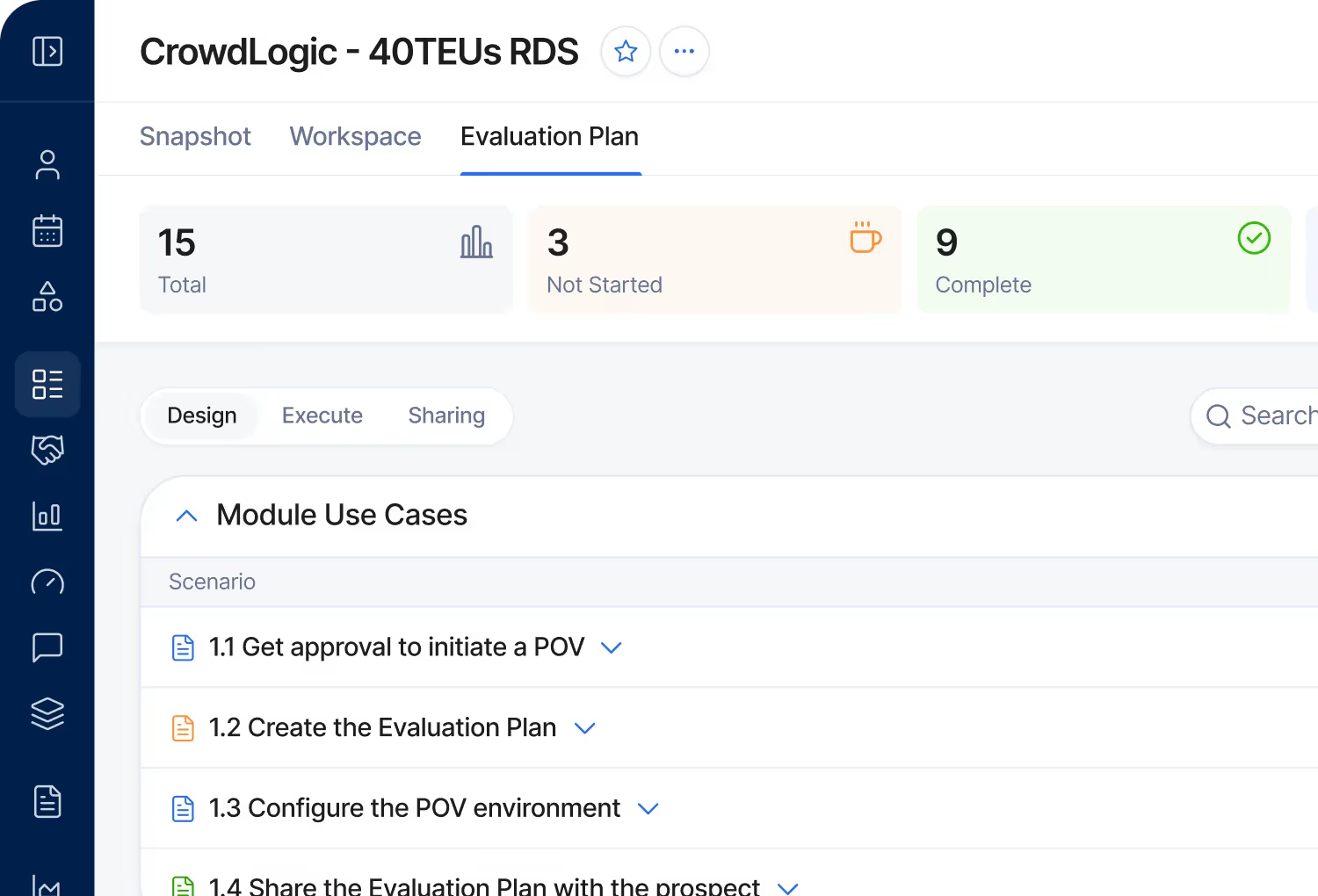
Deals run on presales. Presales runs on Homerun.
Homerun powers your team with the workflows, AI, agents, and visibility to close deals that count.
Trusted by World-Class Presales Teams





Take presales to the next level
Features:
All your presales work in one place
Presales workspaces for every deal
You know the drill—CRM here, notes over there, tasks in yet another app, POC spreadsheets buried in shared drives, product gaps logged manually in Jira...
It’s too much.
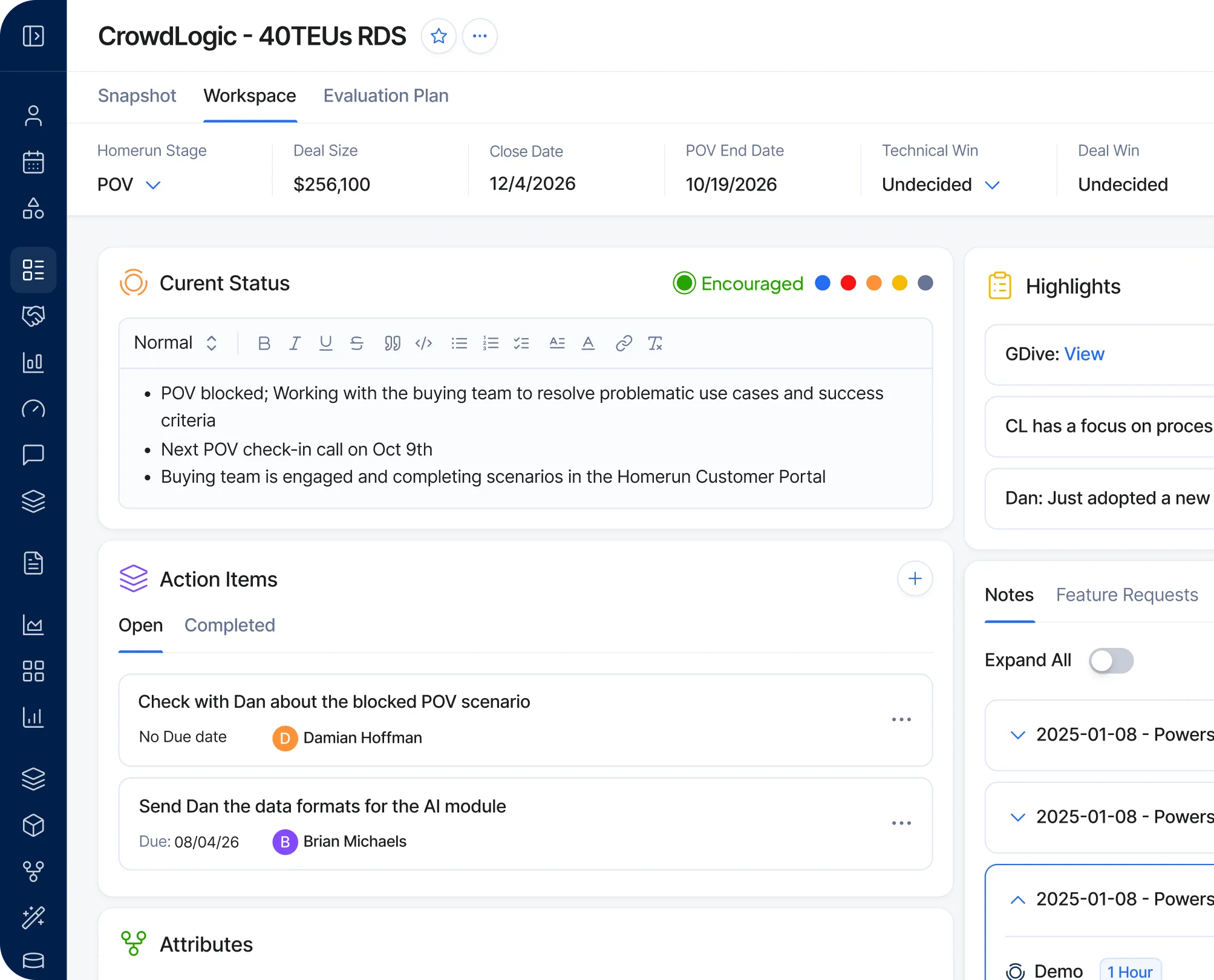
Homerun replaces that daily tool shuffle with one dedicated workspace built for presales.
- Capture discovery notes, demo recaps, POC plans, and product feedback—all in one place
- Pushes presales data to AEs, PMs, and CS—automatically
- Automatically sync data back to tools like Salesforce/HubSpot, Jira, and Slack
More focus, alignment, and value—at every step.
Let AI do the busywork
Presales AI & automation
Homerun isn’t using AI because it’s trendy. We’re using it to solve the exact pain points presales teams face every day—automating busywork, keeping systems updated, and generating client-ready deliverables in seconds.
Our AI isn’t generic. It’s built for presales and trained on your specific presales process, priorities, and data, so it doesn’t just sound smart, it is smart about your workflow.
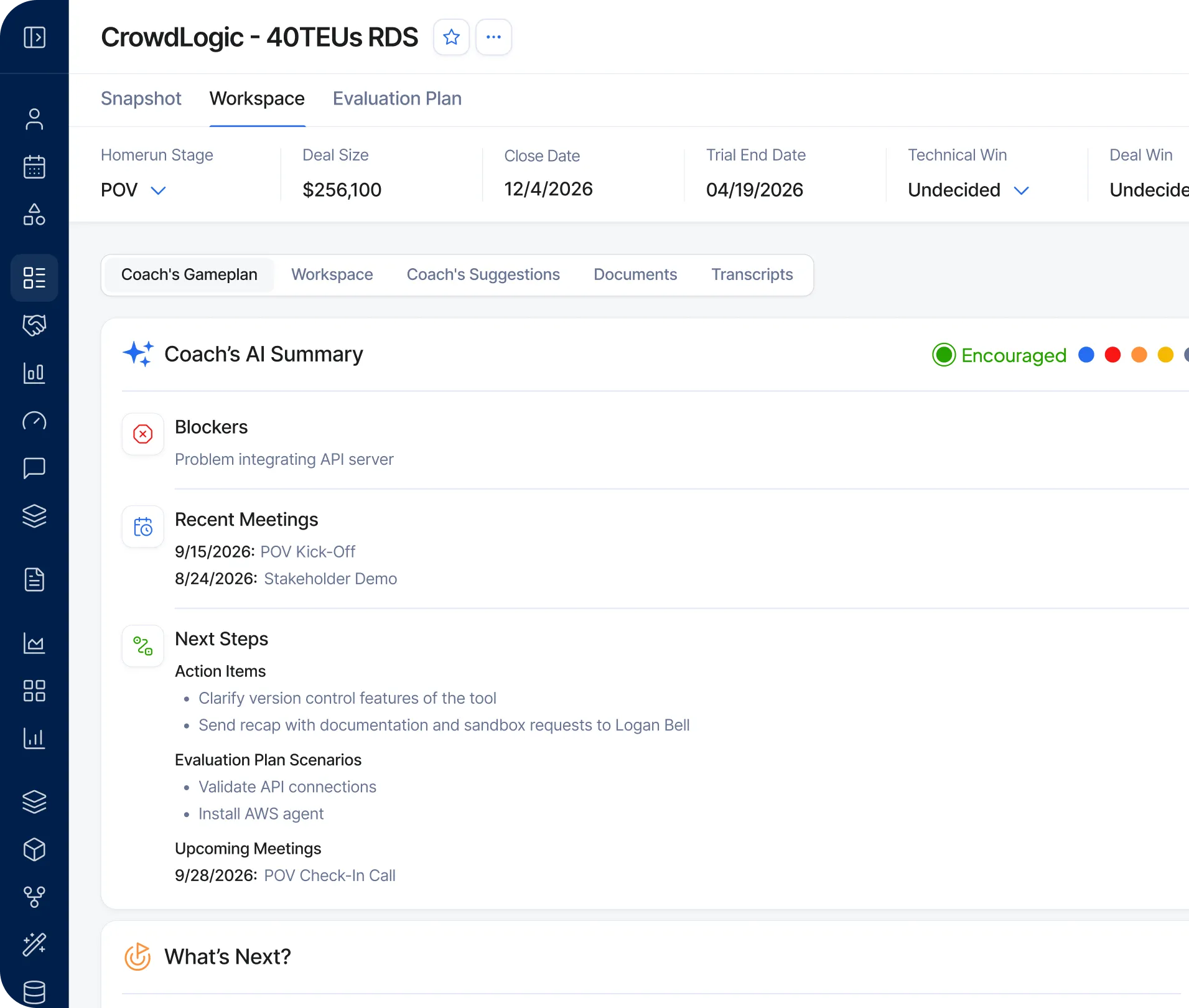
What it handles:
- Auto-capture key information from your recorded calls and demos to eliminate manual data entry
- Fills in CRM fields so you don’t have to
- Surfaces buyer priorities to align on value, tailor demo scripts, and scope the right POC/POV.
- Builds presales docs, POC/POV evaluation plans, and recaps tailored to your presales motion
- Flags technical risks and blockers based on everything that’s known so far
- Tracks your activities for you and logs product gaps in real time
- Chat with Homerun as an assistant, mentor, and seasoned SE
Homerun is part automation, part AI co-pilot, and part AI agent—smart, presales-specific, and always there for you.
Turn insights into action
Team dashboards and deal reviews
Keep presales managers out of spreadsheets and in the game. Homerun provides real-time dashboards that show deal velocity, technical win rates, team utilization, and individual workloads, so you can guide better, coach faster, and prevent burnout.
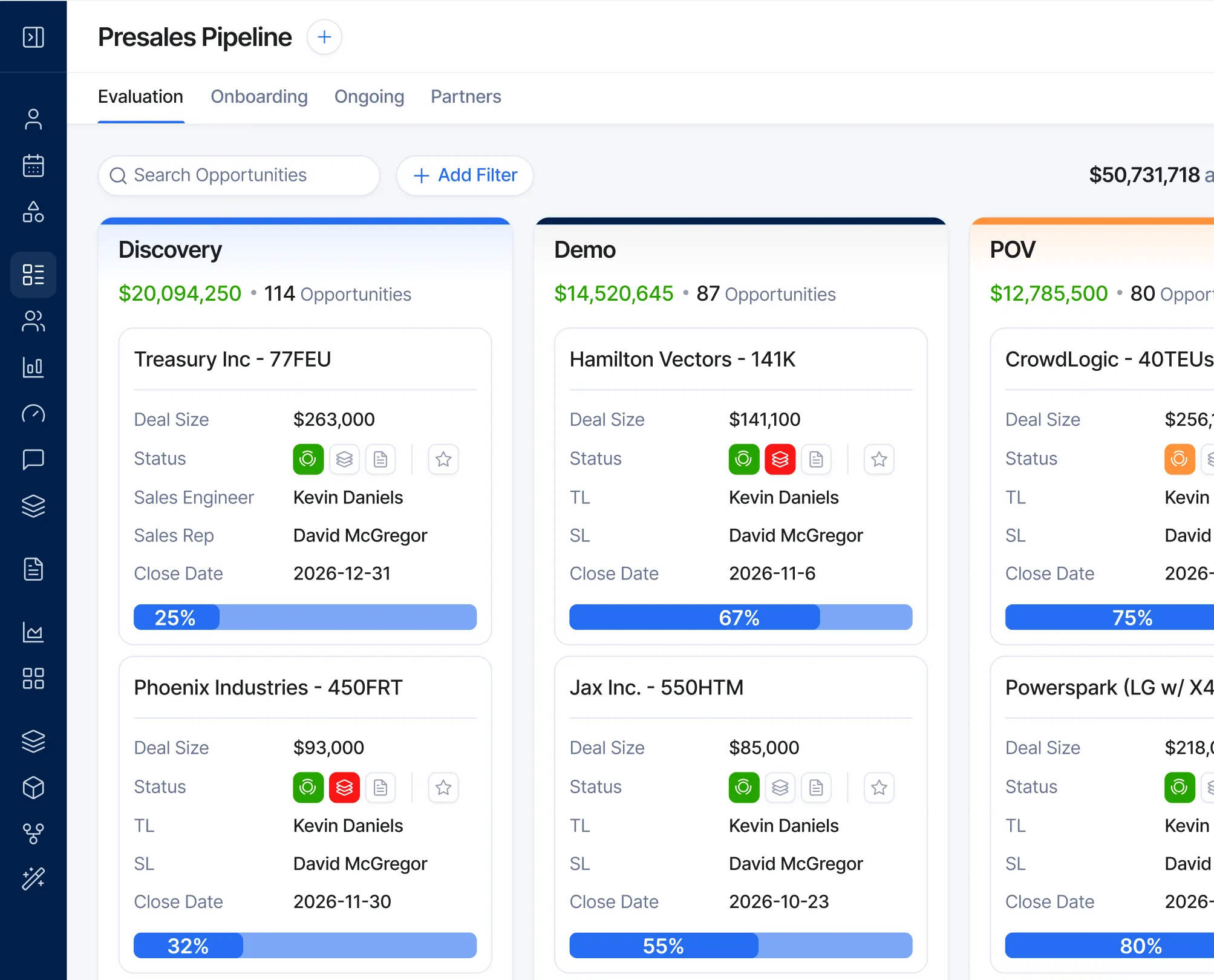
Features:
- Track team activity, impact, and performance
- Prep for team 1:1s and deal reviews in one click
- Spot risks and stalled deals before it’s too late
Run cleaner technical evaluations
POC/POV evaluation plans
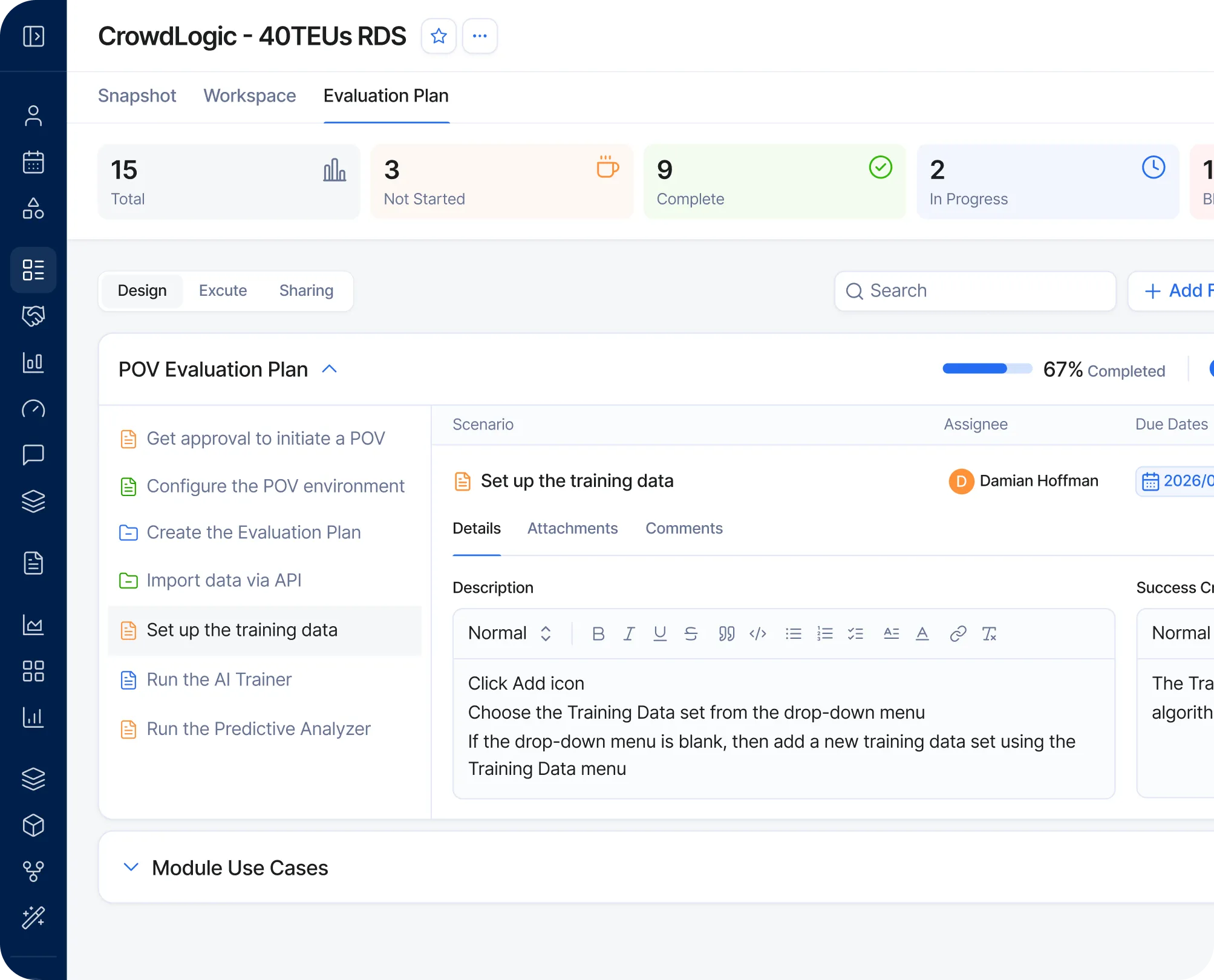
No more ad-hoc POCs. Homerun makes it easy to standardize evaluation plans, guide prospects, and align with AEs, all while capturing technical proof to close faster.
Features:
- Create and reuse plan templates
- Define success criteria
- Share and engage prospects directly
- Track progress, issues, and outcomes inside Homerun
Tie feedback & activities to revenue
Product gap & activities tracking
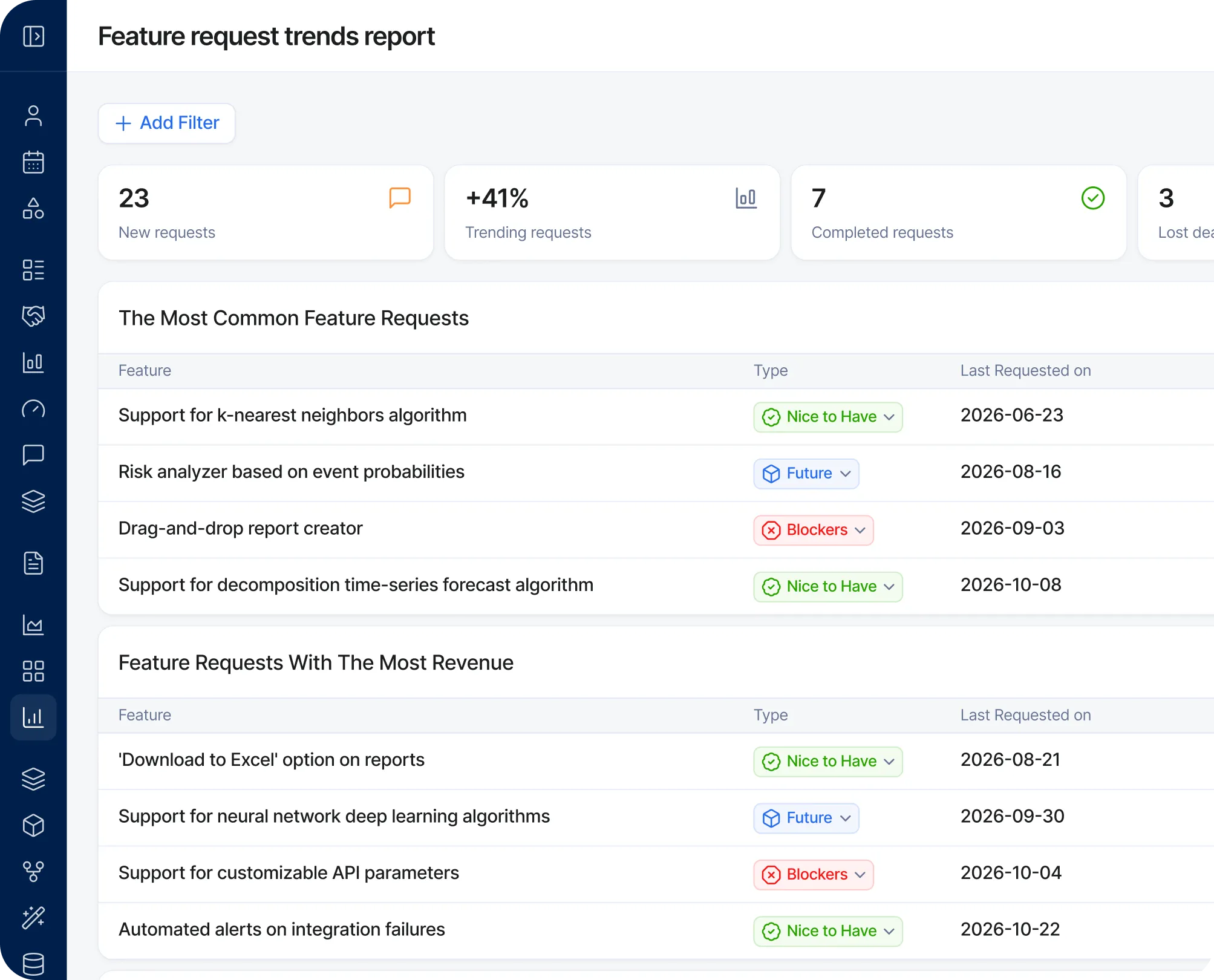
When deals stall because of missing features, make it count. Homerun lets SEs log product gaps with deal context so product teams know what matters and what’s losing you pipeline. Homerun also automates SE activity tracking so you have data to advocate for headcount and guide / protect your team's time and effort.
Features:
- Link feature requests to opportunity value
- Prioritize roadmap decisions with real impact
- Understand SE utilization and impact on revenue
Sell value, not just features
Value mapping
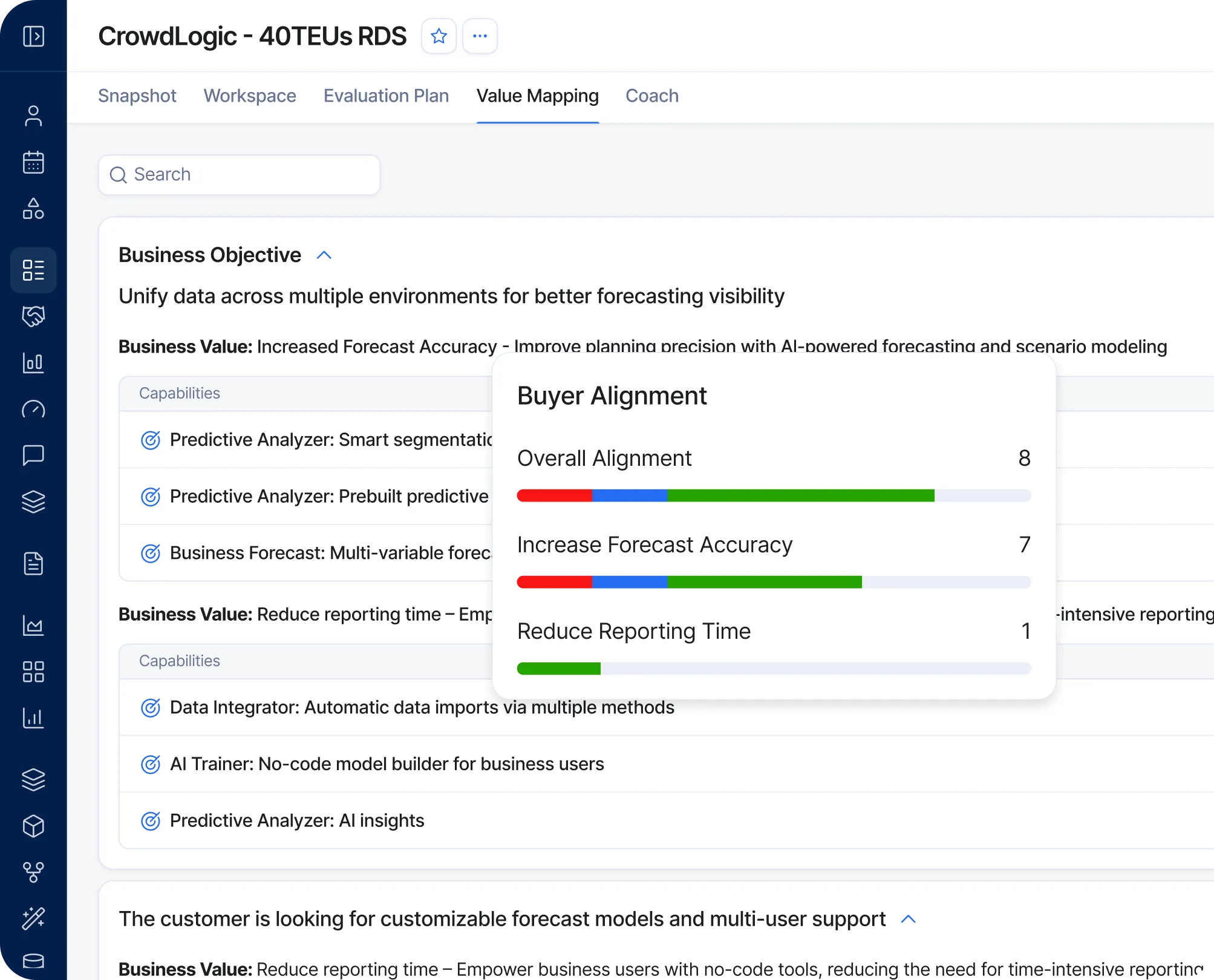
Help your team lead with value, not feature. Homerun’s value mapping tools let SEs tie customer pain points to business outcomes, keeping conversations strategic and focused.
Features:
- Link discovery findings to customer goals
- Align with AEs on value drivers
- Keep everyone focused on why, not just what
Why presales leaders and their teams are all in on Homerun
“Homerun is an excellent pre-sales focused platform dedicated to driving technical excellence, cadence in deals, and technical visibility across all inflight and historical deals.”

Martin Cook

“On our executive calls, I have the data to surface technical risks. Before Homerun, we weren't getting the data we needed, it wasn't timely, and the adoption wasn't great. With Homerun, we’re now getting all three.”

Brian Luisi

“My team uses Homerun to deliver a better experience during the technical evaluation for our partners, customers, and executives. I am now able to get full visibility!”

Michael Turner




Yes, Homerun plugs right in
Do more from one place. We integrate with all your tools so data flows clean and teams stay aligned.
FAQ
Questions presales teams ask about running deals in Homerun
How Homerun handles prep, calls, product gaps and CRM data, and where AI fits.
Something we missed? Talk to us →Prioritization
How do I know what to work on first across multiple presales deals?
Prioritization
How do I know what to work on first across multiple presales deals?
Homerun shows every sales engineer a single dashboard of the active opportunities and accounts they're involved in, so nothing slips when you're juggling several deals at once. On top of that view, its AI flags what's most time-sensitive through a feature called "what's next" to surface the most urgent items. Rather than scanning each opportunity by hand, you see what demands your attention right now, and managers get the same visibility across their team. The result is organization and prioritization in one place, instead of trying to hold the state of every deal in your head.
Meeting prep
How can I prepare for a demo or discovery meeting when time is limited?
Meeting prep
How can I prepare for a demo or discovery meeting when time is limited?
Homerun produces a meeting brief in seconds, so a sales engineer can prepare for a demo, discovery call, or POC evaluation, even if they've been asked to join a meeting at short notice. The brief sets out the meeting's goal, who will be in the room, the key points to highlight, the objections or tough questions you're likely to face, and the open questions you should be sure to ask. It creates demo scripts for sales engineers based on buyer needs and the most impactful capabilities to show. The output adapts to the meeting type and can be customized to how a team runs its presales process. Homerun also provides a full synopsis of the deal's current status before a call, such as where the problems sit, any risks or blockers, and whether there are product gaps, so you walk in knowing what matters.
Call summaries
How does Homerun summarize sales calls for a sales engineer?
Call summaries
How does Homerun summarize sales calls for a sales engineer?
Homerun summarizes sales calls from a sales engineer's perspective, not as a generic recap that you get from your call recorders. It automatically imports call transcripts linked to a deal, analyzes them for what an SE actually listens for, fills in fields for you, captures buyer needs, flags feature requests and product gaps, marks complete POC/POV success criteria, adds a presales summary in the workspace, and identifies action items. Any call recorder can produce a summary and extract action items, whereas a sales engineer needs analysis tuned to their work. Homerun also shows why it made each recommendation and where it came from, so the sales engineer retains control and can check the source rather than trusting a black box.
Product gaps
How do I capture feature requests and product gaps from sales calls?
Product gaps
How do I capture feature requests and product gaps from sales calls?
Homerun captures feature requests and product gaps by automatically extracting them from call transcripts, notes, Slack/Teams channels, and emails, so they no longer get lost after a call ends. When a buyer asks for something, Homerun recognizes it and recommends either tagging your deal to an existing request or logging a new one with the details prefilled. Each request builds a body of evidence, indicating whether it's a blocker to buy, a future need, or a nice-to-have. Homerun integrates with Jira, Aha!, Productboard, GitHub, and Linear, so the product team can finally see how many deals and how much revenue sit behind a request.
See the product tools Homerun syncs withBuying group
How do I identify buyers on a deal who aren't in the CRM?
Buying group
How do I identify buyers on a deal who aren't in the CRM?
Homerun identifies buyers who aren't yet in the CRM by extracting them from call activity. Sales reps often don't add every influencer or buyer involved to the CRM, so when a sales engineer joins a call, they may not know who a new attendee is. Homerun flags that person as a net-new stakeholder, along with their likely role, and brings them into the workspace. This means the full buying group is captured without manual data entry, and the sales engineer has an accurate picture of who is actually involved in the deal, rather than relying on whatever the rep happened to log.
CRM data
How can AI fill in CRM fields without me losing control of the data?
CRM data
How can AI fill in CRM fields without me losing control of the data?
Homerun can fill in fields using AI recommendations automatically to reduce admin burden or those that a sales engineer approves so you get the data without losing control. Homerun's AI listens to calls (and monitors Slack/Teams, emails, and sales engineer / sales rep notes) and suggests values for presales data fields (called attributes), such as tech stack details, required integrations, status updates, or any other fields that are helpful to sales engineers or that are required in your CRM. You can accept, edit, or reject each suggestion, and nothing is written automatically unless you enable that option. This approach removes the admin burden that normally stops sales engineers from having great data hygiene. It also lets the presales team capture more helpful information than ever because it's so automated. That data then feeds your CRM and other connected applications, plus your reporting, so a leader can ask questions about their team's impact or what influences win rates.
See Homerun's CRM integrationsReady to make presales your unfair advantage?
One workspace, one team. Give everyone the clarity to work together, move faster, and win more.